MIDI controller & instrument for iPad
Every scale,
your shape.
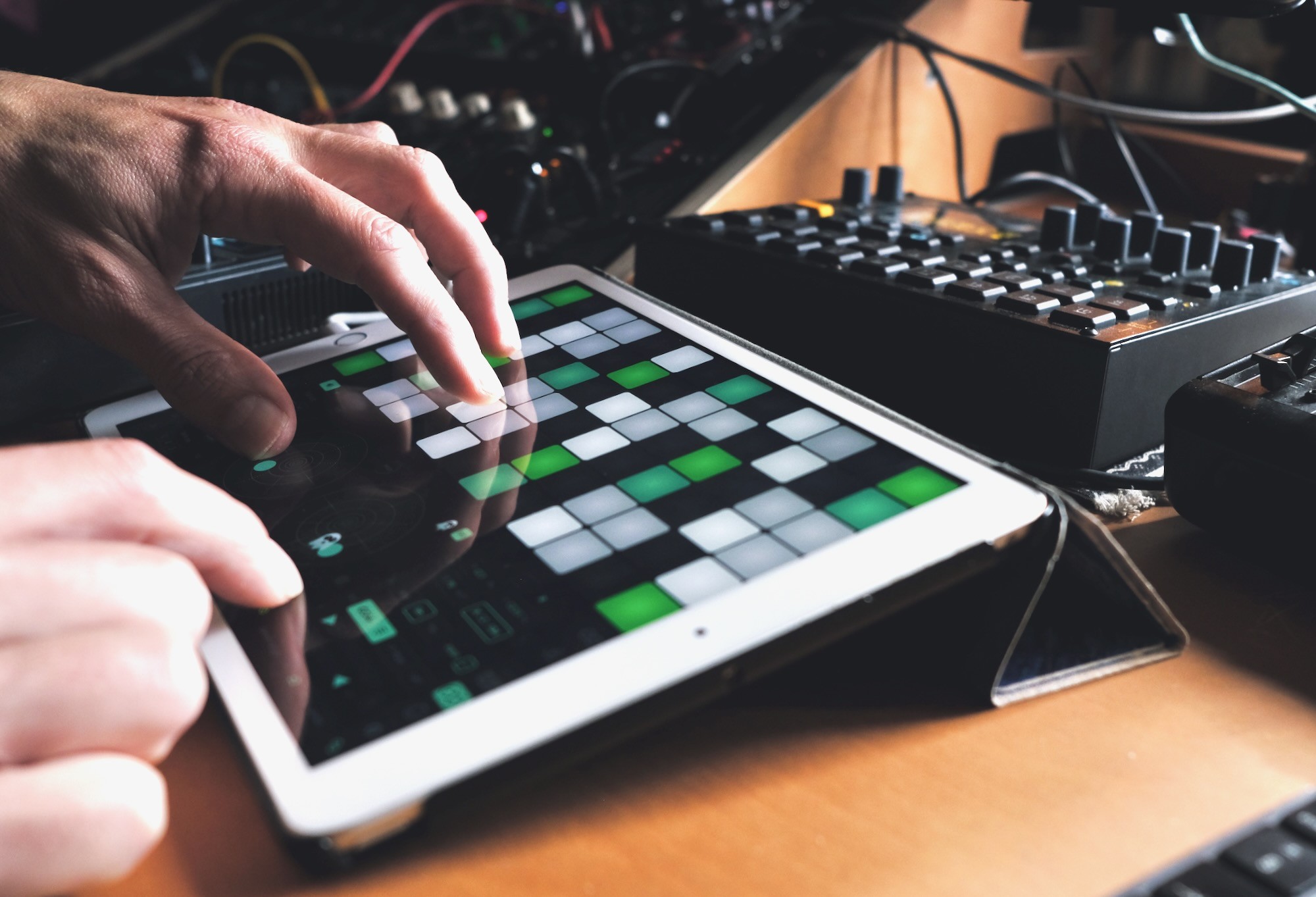
Arrange the pads the way your hands think – as strings on a guitar, stacked octaves or only the notes of the scale. Skaleton keeps your shape in every scale and in every key. Learn a melody or chord once, play it anywhere. As a MIDI controller with your DAW and external gear, or with Skaleton's own old-skool sounds+fx.
€19.99, paid once · Everything included · Out mid-November 2026
The Rings
" height="26px" id="jTKFVUUtC" width="40px"/><path d="M 32 7.884 C 32 12.474 29.101 16 24.155 16 C 20.676 16 18.241 14.769 15.961 10.777 C 14.068 14.104 11.44 15.834 7.729 15.867 C 3.208 15.9 0 12.84 0 8.017 C 0 3.426 3.13 0 7.884 0 C 10.744 0 13.72 1.164 16.116 5.355 C 18.435 1.331 20.676 0.1 24.232 0.1 C 28.831 0.1 32 3.26 32 7.884 Z M 2.628 8.017 C 2.628 10.977 4.406 13.638 7.845 13.638 C 10.667 13.638 12.754 11.742 14.686 8.15 C 12.831 4.324 10.899 2.195 7.923 2.195 C 4.56 2.195 2.628 4.923 2.628 8.017 Z M 24.077 2.328 C 21.024 2.328 19.44 4.391 17.43 8.017 C 19.208 11.709 21.063 13.771 24 13.771 C 27.401 13.771 29.449 11.11 29.449 8.05 C 29.449 4.89 27.324 2.328 24.077 2.328 Z" fill="rgb(0, 0, 0)" height="16px" id="y81iILMRj" stroke-dasharray="2,1" stroke-linecap="butt" stroke-linejoin="miter" stroke-miterlimit="10" stroke-width="1" stroke="rgb(0, 0, 0)" transform="translate(4 5.5)" width="32px"/></svg>)
Set the controls for the
heart of the sun root of the skale
LEFT SIDE
The root ring →
The big green center shows the active root note. Pick a different one from the ring to replace it with a new one.
The grid will change right away.
Inside this ring the current Skale or Build is displayed.

RIGHT SIDE
← The interval ring
The intervals in your skale light up. The perfect fifth glows teal — here, mirrored on the root ring, and on the grid.
You can choose intervals, flats, sharps or Quality as button labels.
Pick a root on the left ring. Follow your bass player, find the note on the grid, or look up the key of the song you want to jam along with – one tap, and the whole grid follows.
Then choose the notes on the right ring: tap intervals on or off, or start from one of the 50+ skales that come with Skaleton. Ring and grid change the moment you tap. Made your own? Save it in a Build.
The GRID
" height="26px" id="yPWSrlvoF" width="40px"/><path d="M 2 6 C 0.895 6 0 5.105 0 4 L 0 2 C 0 0.895 0.895 0 2 0 L 4 0 C 5.105 0 6 0.895 6 2 L 6 4 C 6 5.105 5.105 6 4 6 Z" fill="rgb(17, 17, 17)" height="6px" id="Ycl7D8pTf" transform="translate(10 3)" width="6px"/><path d="M 2 6 C 0.895 6 0 5.105 0 4 L 0 2 C 0 0.895 0.895 0 2 0 L 4 0 C 5.105 0 6 0.895 6 2 L 6 4 C 6 5.105 5.105 6 4 6 Z" fill="rgb(17, 17, 17)" height="6px" id="fI8BYa0Rf" transform="translate(31 3)" width="6px"/><path d="M 1.5 5 C 0.672 5 0 4.328 0 3.5 L 0 1.5 C 0 0.672 0.672 0 1.5 0 L 3.5 0 C 4.328 0 5 0.672 5 1.5 L 5 3.5 C 5 4.328 4.328 5 3.5 5 Z" fill="transparent" height="5px" id="hHBFRGyWm" stroke-dasharray="" stroke-linecap="butt" stroke-linejoin="miter" stroke-miterlimit="10" stroke-width="1" stroke="rgb(17, 17, 17)" transform="translate(10.5 10.5)" width="5px"/><path d="M 1.5 5 C 0.672 5 0 4.328 0 3.5 L 0 1.5 C 0 0.672 0.672 0 1.5 0 L 3.5 0 C 4.328 0 5 0.672 5 1.5 L 5 3.5 C 5 4.328 4.328 5 3.5 5 Z" fill="transparent" height="5px" id="PZm_oJQaj" stroke-dasharray="" stroke-linecap="butt" stroke-linejoin="miter" stroke-miterlimit="10" stroke-width="1" stroke="rgb(17, 17, 17)" transform="translate(31.5 10.5)" width="5px"/><path d="M 2 6 C 0.895 6 0 5.105 0 4 L 0 2 C 0 0.895 0.895 0 2 0 L 4 0 C 5.105 0 6 0.895 6 2 L 6 4 C 6 5.105 5.105 6 4 6 Z" fill="rgb(17, 17, 17)" height="6px" id="q3jgcrA98" transform="translate(10 17)" width="6px"/><path d="M 2 6 C 0.895 6 0 5.105 0 4 L 0 2 C 0 0.895 0.895 0 2 0 L 4 0 C 5.105 0 6 0.895 6 2 L 6 4 C 6 5.105 5.105 6 4 6 Z" fill="rgb(17, 17, 17)" height="6px" id="puEOeucLv" transform="translate(31 17)" width="6px"/><path d="M 1.5 5 C 0.672 5 0 4.328 0 3.5 L 0 1.5 C 0 0.672 0.672 0 1.5 0 L 3.5 0 C 4.328 0 5 0.672 5 1.5 L 5 3.5 C 5 4.328 4.328 5 3.5 5 Z" fill="transparent" height="5px" id="U9yh3hToy" stroke-dasharray="" stroke-linecap="butt" stroke-linejoin="miter" stroke-miterlimit="10" stroke-width="1" stroke="rgb(17, 17, 17)" transform="translate(17.5 3.5)" width="5px"/><path d="M 1.5 5 C 0.672 5 0 4.328 0 3.5 L 0 1.5 C 0 0.672 0.672 0 1.5 0 L 3.5 0 C 4.328 0 5 0.672 5 1.5 L 5 3.5 C 5 4.328 4.328 5 3.5 5 Z" fill="transparent" height="5px" id="J_oOuN0vf" stroke-dasharray="" stroke-linecap="butt" stroke-linejoin="miter" stroke-miterlimit="10" stroke-width="1" stroke="rgb(17, 17, 17)" transform="translate(17.5 10.5)" width="5px"/><path d="M 2 6 C 0.895 6 0 5.105 0 4 L 0 2 C 0 0.895 0.895 0 2 0 L 4 0 C 5.105 0 6 0.895 6 2 L 6 4 C 6 5.105 5.105 6 4 6 Z" fill="rgb(17, 17, 17)" height="6px" id="VM3CNZFka" transform="translate(17 17)" width="6px"/><path d="M 2 6 C 0.895 6 0 5.105 0 4 L 0 2 C 0 0.895 0.895 0 2 0 L 4 0 C 5.105 0 6 0.895 6 2 L 6 4 C 6 5.105 5.105 6 4 6 Z" fill="rgb(17, 17, 17)" height="6px" id="X6RviLpZM" transform="translate(24 3)" width="6px"/><path d="M 2 6 C 0.895 6 0 5.105 0 4 L 0 2 C 0 0.895 0.895 0 2 0 L 4 0 C 5.105 0 6 0.895 6 2 L 6 4 C 6 5.105 5.105 6 4 6 Z" fill="rgb(17, 17, 17)" height="6px" id="V6125fPxL" transform="translate(3 3)" width="6px"/><path d="M 2 6 C 0.895 6 0 5.105 0 4 L 0 2 C 0 0.895 0.895 0 2 0 L 4 0 C 5.105 0 6 0.895 6 2 L 6 4 C 6 5.105 5.105 6 4 6 Z" fill="rgb(17, 17, 17)" height="6px" id="PRv6Hjh2m" transform="translate(24 10)" width="6px"/><path d="M 2 6 C 0.895 6 0 5.105 0 4 L 0 2 C 0 0.895 0.895 0 2 0 L 4 0 C 5.105 0 6 0.895 6 2 L 6 4 C 6 5.105 5.105 6 4 6 Z" fill="rgb(17, 17, 17)" height="6px" id="vEQOXFvU8" transform="translate(3 10)" width="6px"/><path d="M 1.5 5 C 0.672 5 0 4.328 0 3.5 L 0 1.5 C 0 0.672 0.672 0 1.5 0 L 3.5 0 C 4.328 0 5 0.672 5 1.5 L 5 3.5 C 5 4.328 4.328 5 3.5 5 Z" fill="transparent" height="5px" id="l81UpiDGN" stroke-dasharray="" stroke-linecap="butt" stroke-linejoin="miter" stroke-miterlimit="10" stroke-width="1" stroke="rgb(17, 17, 17)" transform="translate(24.5 17.5)" width="5px"/><path d="M 1.5 5 C 0.672 5 0 4.328 0 3.5 L 0 1.5 C 0 0.672 0.672 0 1.5 0 L 3.5 0 C 4.328 0 5 0.672 5 1.5 L 5 3.5 C 5 4.328 4.328 5 3.5 5 Z" fill="transparent" height="5px" id="URUlhllsf" stroke-dasharray="" stroke-linecap="butt" stroke-linejoin="miter" stroke-miterlimit="10" stroke-width="1" stroke="rgb(17, 17, 17)" transform="translate(3.5 17.5)" width="5px"/></svg>)
Everything in its right place.
Two main ways to lay out the pads:
FIXED → every pad keeps its note, like a fretboard. Stack the octaves, or tune the rows like strings: standard guitar, Drop D, DADGAD, open chords, all fourths or all fifths. Notes outside your skale stay where they are – playable, or muted if you don't want to hear them.
FOLLOW → only the notes of your skale are on the grid. Stack the octaves, shift each row a few skale steps up like strings, or let the skale stretch across the full width of your iPad.
Dm, in D Dorian.
One chord, three shapes.


FIXED → Guitar
standard tuning: strings and frets where your fingers expect them. Notes outside the skale stay playable.
Lefty? Just flip the grid!


FIXED → Perfect fifths
tuned like a cello or violin: wide reach, compact chords.
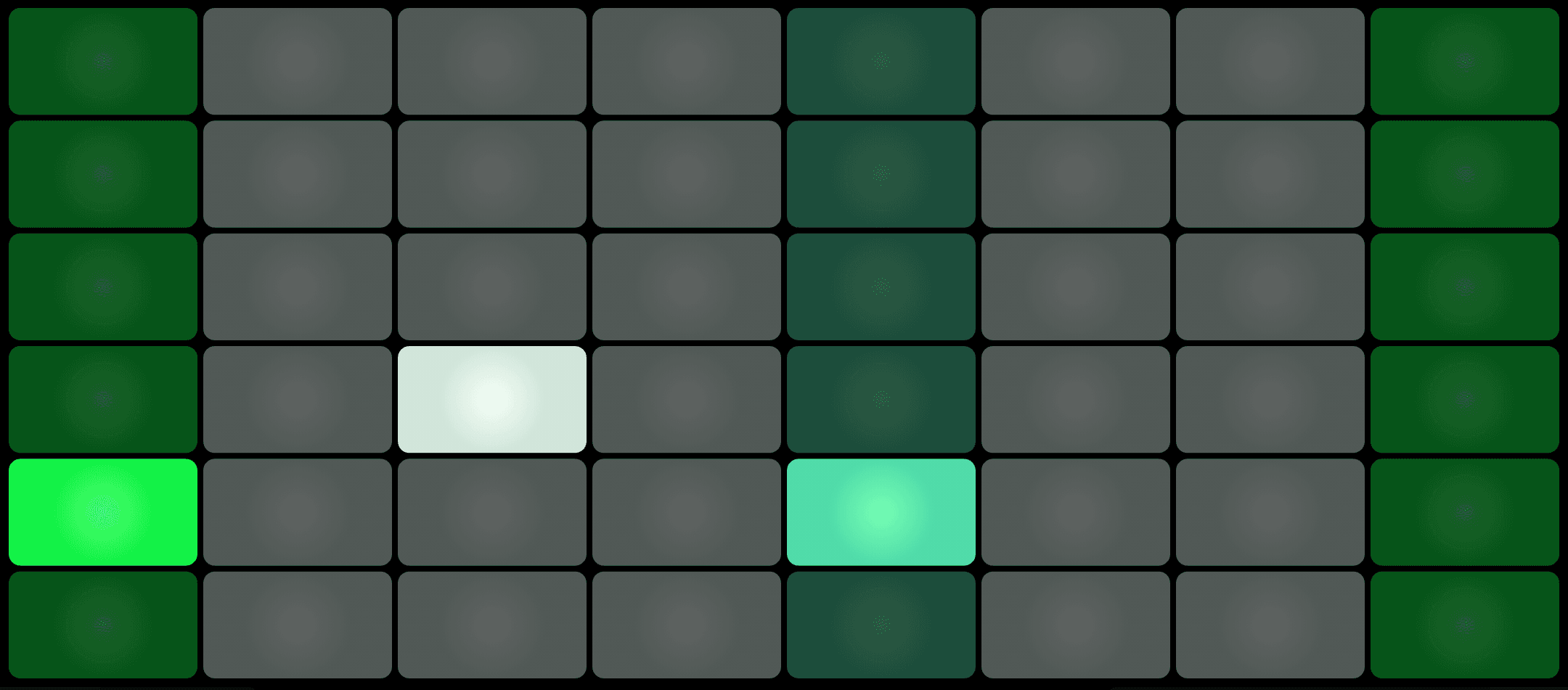

FOLLOW → Skale only
Every pad is a note that fits. No wrong notes, ever. A Dm chord is played. Both the interval ring and the grid show their respective chord pattern.
TWO STICKS
" height="26px" id="oHXSkW8Wv" width="40px"/><path d="M 3 1.5 C 3 2.328 2.328 3 1.5 3 C 0.672 3 0 2.328 0 1.5 C 0 0.672 0.672 0 1.5 0 C 2.328 0 3 0.672 3 1.5 Z" fill="rgb(27, 40, 39)" height="3px" id="z9FKzF530" transform="translate(8 11)" width="3px"/><path d="M 3 1.5 C 3 2.328 2.328 3 1.5 3 C 0.672 3 0 2.328 0 1.5 C 0 0.672 0.672 0 1.5 0 C 2.328 0 3 0.672 3 1.5 Z" fill="rgb(27, 40, 39)" height="3px" id="fziozVWe5" transform="translate(25 11)" width="3px"/><path d="M 0 8 C 0 3.582 3.582 0 8 0 C 12.418 0 16 3.582 16 8 C 16 12.418 12.418 16 8 16 C 3.582 16 0 12.418 0 8 Z" fill="transparent" height="16px" id="Lw68geEU5" stroke-dasharray="" stroke-linecap="butt" stroke-linejoin="miter" stroke-miterlimit="10" stroke-width="2" stroke="rgb(0, 0, 0)" transform="translate(4 5)" width="16px"/><path d="M 0 8 C 0 3.582 3.582 0 8 0 C 12.418 0 16 3.582 16 8 C 16 12.418 12.418 16 8 16 C 3.582 16 0 12.418 0 8 Z" fill="transparent" height="16px" id="I073u83Tz" stroke-dasharray="" stroke-linecap="butt" stroke-linejoin="miter" stroke-miterlimit="10" stroke-width="2" stroke="rgb(0, 0, 0)" transform="translate(20 5)" width="16px"/></svg>)
Music = Math.
Pick a root on the left ring. Follow your bass player, find the note on the grid, or look up the key of the song you want to jam along with – one tap, and the whole grid follows.
Then choose the notes on the right ring: tap intervals on or off, or start from one of the 50+ skales that come with Skaleton. Ring and grid change the moment you tap. Made your own? Save it in a Build.
01
Learn one shape
A chord or a run you learn once works in every key. Move it across the grid and it still fits.
02
Only the notes that fit
Pick a root and a skale on two rings. The grid gives you the notes that belong, and mutes or hides the rest.
03
Controller or instrument
Send MIDI to your DAW or synth. Or skip the computer and play Skaleton Sound straight from the iPad.
The idea
A pad grid that thinks in scales.
01
Learn one shape
A chord or a run you learn once works in every key. Move it across the grid and it still fits.
02
Only the notes that fit
Pick a root and a skale on two rings. The grid gives you the notes that belong, and mutes or hides the rest.
03
Controller or instrument
Send MIDI to your DAW or synth. Or skip the computer and play Skaleton Sound straight from the iPad.
[video: Skaleton in 90 seconds]
Placeholder. A short walkthrough of the rings, the grid and the sticks will go here.
On the screen
Six things you’ll use every day.
[screenshot: the full Skaleton screen, with rings, grid, CUEs and sticks]
01 · Rings
A root ring and a skale ring
Turn one ring to pick the root, the other to pick the skale. Over 40 skales, from major and the modes to maqamat.
02 · FIXED / FOLLOW
Two kinds of grid
FIXED keeps every note in place, tuned in fourths, fifths or a guitar tuning. FOLLOW only places the notes of the current skale, so every pad fits.
03 · Orientations
stan, jimi, doyle and sam
Standard, left-handed, left-handed and upside down, or everything flipped. Pick the one your hands already know.
04 · Builds and CUEs
Save a setup, fire it live
Store root, grid, sticks, sound and FX as a Build. Put Builds in four CUE slots and switch between them while you play.
05 · Two Sticks
Two joysticks, one ghost
Map each axis to a CC or pitch bend, with curves, spring-back and hold. Spoolspook can move in on one stick and fight you for it.
06 · Skaleton Sound + FX
A sound of its own
Old-skool wavetable instruments with chorus, tape delay and reverb, right on the iPad. Headphones in and you’re playing.
Also on board: EQ tilt, so high notes don’t get buried, and note labels as numbers, flats, sharps or intervals.
Connections
Plugs into what you already have.
Skaleton sends standard MIDI: notes, CC and pitch bend. These are typical latencies. Your setup may differ.
USB
1–3 ms
The tightest timing. Use it for drums and live sets.
WiFi
5–15 ms
No cable, Mac or PC. Fine for most playing; busy networks add jitter.
Bluetooth
10–30 ms
Pair and play. Good for sketching ideas on the sofa.
Works with
Logic Pro · Ableton Live · Bitwig Studio · FL Studio · Cubase · Reaper · GarageBand · any app or synth that speaks MIDI
Price
€9.99
Paid once. That’s the whole deal.
Every feature, from day one
No subscription
No in-app purchases
The full manual, free on this site
Out mid-November 2026 on the App Store.
What does it cost?
€9.99, paid once. No subscription and no in-app purchases.
When can I get it?
Mid-November 2026. Leave your email below and you’ll hear the day it’s out.
Do I need a computer?
No. Skaleton Sound plays straight from the iPad. You only need a Mac or PC to send MIDI to a DAW.
Does it work on iPhone?
No. Skaleton is made for iPad, in landscape. The grid needs the room.
[illustration: Spoolspook]
Launch list
Hear when it’s out.
One email on the day Skaleton lands on the App Store. Nothing else.